
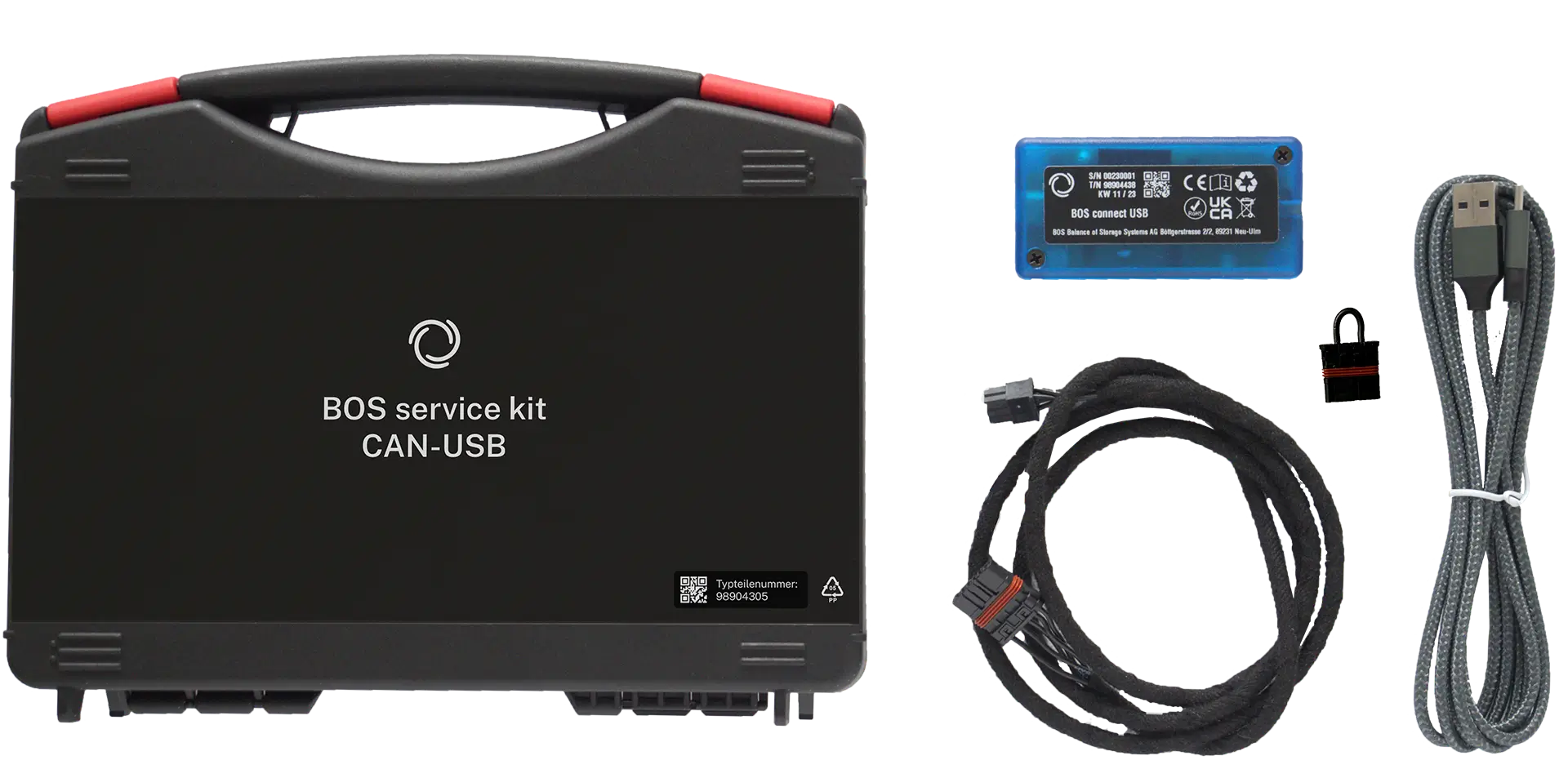
Product name: BOS service kit CAN-USB
Product number: 98904305
Thank you for purchasing a high quality, german made product from BOS Balance of Storage Systems AG. We worked strictly according to german engineering standards in order to deliver valuable energy services for our customers. In case of technical problems or comments of any kind, please contact the local distributor for support.
The BOS connect USB, part of the BOS service kit CAN-USB, is designed and verified according to the following standards/guidelines:
Connect the BOS connect USB to your computer. Use the supplied USB cable or any other USB cable that supports data transfer. To make the connection, plug the cable into the USB port of the BOS connect USB and the other end into a free USB port on your computer.
Connect the BOS communication cable to the first battery. To do this, plug the Molex Microfit connector into the BOS connect USB and on the other side plug the MX80 connector into the communication port on the back of the battery.
If it is not a group of batteries already connected with communication cables, but a single batteries or batteries that are not yet connected with communication cables, you must also observe the following: The unused communication port with MX80 connector on the back of the battery must be occupied by the BOS bus terminator MX80.
For operation, the installation of the software provided for this purpose on a computer with the following requirements is necessary:
Operating system: Windows 10 or Windows 11
The latest software for downloading the BOS connect USB can be found under the following link:
The BOS connect USB is automatically detected and the indicator is green when the adapter is connected.
On the left of all tabs is the area where the detected devices on the bus are displayed and can be scanned for. By clicking on the corresponding entry, this device is selected.
On the Software update tab, a firmware can be selected, which is provided by BOS. With the button “Update Firmware of all matching Devices” the firmware can be installed automatically on all devices, where this firmware belongs to.
A textual output of the current operating mode of the battery can be activated on the Debug Output tab. The “Controller” channel is particularly relevant here, as all the important information about the battery is output there. Several channels can be activated simultanesously.
And on the tab “Device Info” you can read the stored serial numbers of the battery controller. The serial number of the total battery is not necessarily the same number, because for example a double block with 160Ah is displayed as two different BOS battery S, which have seperate serial numbers.
There is no manufacturer’s warranty on the product BOS service kit CAN-USB. The legal rights to claim under warranty remain unaffected and continue to exist.
The BOS connect comply with all applicable provisions of relevant directives and regulations and are in conformity with the relevant standards. The full declaration of conformity is found for download at www.bos-ag.com.
Do not dispose in waste bin, but recycle electronics and packaging materials according to local regulations.

Only for EC countries: According to the European Guideline 2012/19/EU, electrical devices/tools that are no longer usable must be collected separately and disposed of in an environmentally correct manner.

BOS Balance of Storage Systems AG
Industriestraße 12
89081 Ulm
Tel.: +49 (0) 731 7254 4107
[email protected]
www.bos-ag.com
| Cookie | Duration | Description |
|---|---|---|
| cookielawinfo-checkbox-advertisement | 1 year | Set by the GDPR Cookie Consent plugin, this cookie is used to record the user consent for the cookies in the "Advertisement" category . |
| cookielawinfo-checkbox-analytics | 11 months | This cookie is set by GDPR Cookie Consent plugin. The cookie is used to store the user consent for the cookies in the category "Analytics". |
| cookielawinfo-checkbox-functional | 11 months | The cookie is set by GDPR cookie consent to record the user consent for the cookies in the category "Functional". |
| cookielawinfo-checkbox-necessary | 11 months | This cookie is set by GDPR Cookie Consent plugin. The cookies is used to store the user consent for the cookies in the category "Necessary". |
| cookielawinfo-checkbox-others | 11 months | This cookie is set by GDPR Cookie Consent plugin. The cookie is used to store the user consent for the cookies in the category "Other. |
| cookielawinfo-checkbox-performance | 11 months | This cookie is set by GDPR Cookie Consent plugin. The cookie is used to store the user consent for the cookies in the category "Performance". |
| elementor | never | This cookie is used by the website's WordPress theme. It allows the website owner to implement or change the website's content in real-time. |
| viewed_cookie_policy | 11 months | The cookie is set by the GDPR Cookie Consent plugin and is used to store whether or not user has consented to the use of cookies. It does not store any personal data. |
| Cookie | Duration | Description |
|---|---|---|
| _icl_visitor_lang_js | 2 days | This cookie is stored by WPML WordPress plugin. The purpose of the cookie is to store the redirected language. |
| wpml_browser_redirect_test | session | This cookie is set by WPML WordPress plugin and is used to test if cookies are enabled on the browser. |
| Cookie | Duration | Description |
|---|---|---|
| facebook pixel | 1 year | The Facebook pixel is an analytics tool that allows to measure the effectiveness of advertising by understanding users' actions on the website. And adapts their advertising accordingly |
| Cookie | Duration | Description |
|---|---|---|
| wp-wpml_current_language | session | No description available. |